.jpg)
Setting up automation so you’re not manualling entering each order that comes in will save you time, money, and increase speed. Not to mention, customers who shop local expect local speed. When someone orders a textbook, a gift, or a last-minute item from your Shopify store and finds out it's shipping from three provinces away with a five-day delivery window, you've already lost some of the "shop local" magic that got them to your site in the first place.
The fix isn't sending employees on delivery runs or “investing” in vehicles that end up costing you way more than expected, it's connecting your Shopify store to a local, on-demand courier that plugs straight into your checkout.
This guide walks through exactly how to do that using Deeleeo's Shopify App, so same-day delivery becomes a checkout option instead of a manual second business you didn’t sign up for.
.jpg)
What You'll Need Before You Start
- An active Shopify store with products ready to sell
- A free Deeleeo business account - you can create one here: https://app.deeleeo.com/auth/deeleeo/sign-up
- A list of your pickup location(s) (store, warehouse, or fulfillment point)
- Your local delivery zone(s) defined (city, radius, or specific neighborhoods). We also have our postal codes (also called FSAs) to use if you want to define those delivery zones by the areas we service.
.jpg)
Steps To Get Connected
- Create your Deeleeo account and enter a valid credit card. If you would prefer direct EFT, we have that option available too.
- Set up your delivery pickup and delivery details within your Shopify store. This includes your delivery parameters on your Shopify store within the settings, and all your products.
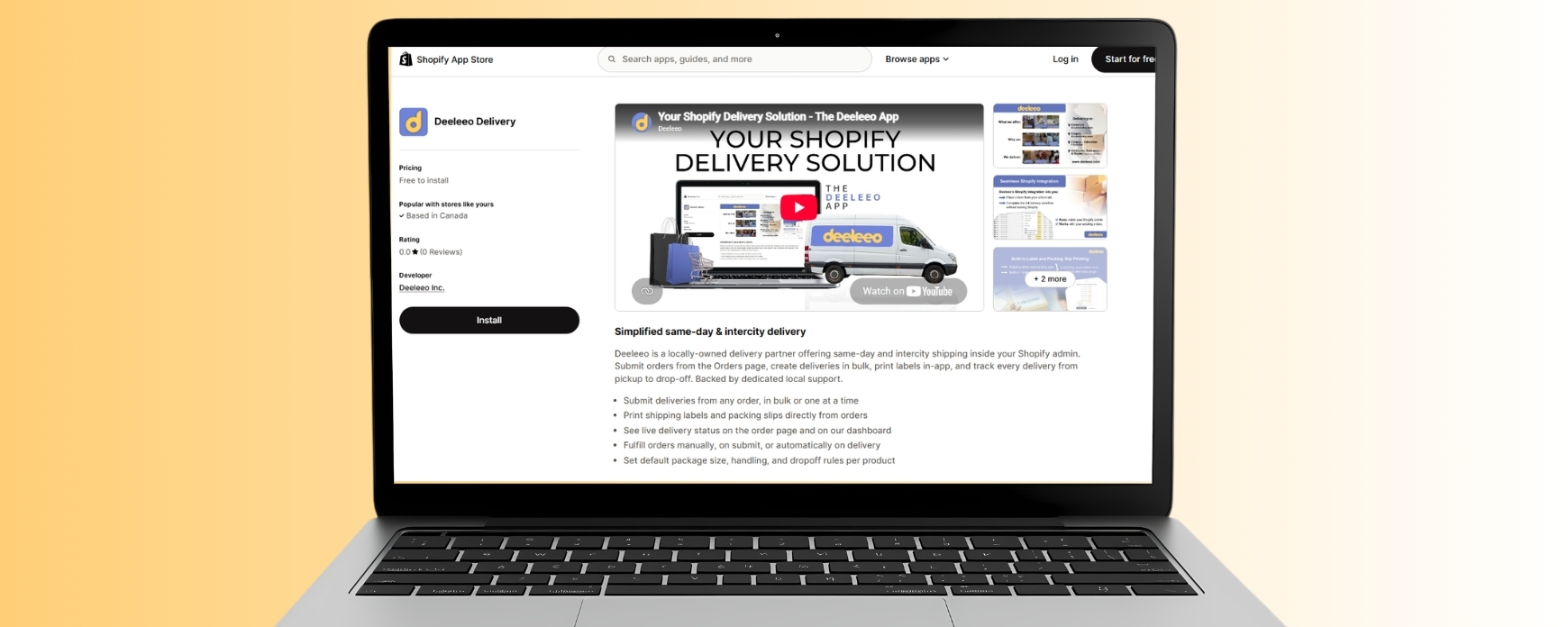
- Connect your Shopify store to our Shopify delivery app. This moves your internal operations from manual entering to automatic built in delivery options - saving you time and headaches.
- Go to your Shopify store and search Deeleeo
- Download our app
- Fill in your details to create an account
- Set up your delivery details like fulfillment (manual single or batch deliveries, or automatic as orders come in), your payment method, package sizes, drop off types, and special care requests
- Start and test your deliveries. You can begin deliveries immediately, same-day once you’re set up. You can test deliveries, start as orders come in, or batch as you group orders.
- Promote local delivery to your customers. This step isn’t for us, but we always love a shout out if you post about the launch 🙂
*If you need a little help with getting set up, here are a few helpful tutorials to make that happen:
- Why use the Deeleeo Shopify App: https://youtu.be/Ch4GNjU0W0k
- Deeleeo Shopify App - How to get started: https://youtu.be/x1b3UGHhl40
- Deeleeo Shopify App - How to book a delivery: https://youtu.be/d1A3kv_PbxI
- Deeleeo Shopify App - How to batch deliveries: https://youtu.be/FAbswPR4s2g
How It Helps Your Business
- You can automate, choose specific single orders to go through us, or batch multiple orders at once for delivery.
- You can customize your packing slips to have your logo and branding, and can print both your packing slip and the delivery label all in one place.
- Edit delivery information within single or batch selection. If all orders now need to be small/heavy for example, you can select all those deliveries and edit once.
- You can track deliveries via Shopify, text and email, and via our tracking link.
.jpg)
The Result
Instead of local delivery being a manual, order-by-order task, it becomes a standard checkout option. Order to delivery booking gets triggered automatically, batching keeps multi-order days efficient, and both you and your customers get live tracking without extra admin work.
Deliver More. Manage Less.
Ready to set it up? You can create a free Deeleeo account or book a meeting with their team to walk through the Shopify integration for your store.
.jpg)
.jpg)